

Setup & Accounts
What is needed
Section titled “What is needed”- The PicknPost add-on on the organization.
- A Meta account connected to the organization in the Mismatch web app (below).
- The PicknPost app from the App Store or Google Play.
- A Mismatch account in the organization that is allowed to post to social media: the Owner, an Admin, or a Member with the Manager duty (see Platform).
Connecting a Meta account
Section titled “Connecting a Meta account”Posts are published through a Facebook page and the Instagram account linked to it. The connection is made once, in the web app, by someone who can manage the organization’s settings:
- Clubs connect one account for the organization, on the Integrations page: continue with Facebook, then choose the page to connect.
- Federations connect one account per competition, on Distribution → Social: each competition has its own Connect. The app only offers competitions that have an account connected.
An account can be disconnected from the same place.
Signing in
Section titled “Signing in”The app signs in with a Mismatch account, by email and password, or with Google or Apple when that is how the account was created. There is no sign-up in the app: the account has to be invited to the organization first.
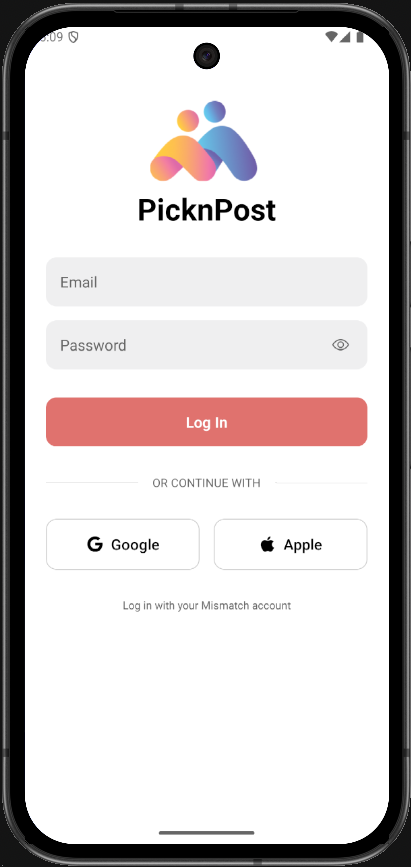
After signing in:
- Organization: the organizations of the account that have the PicknPost add-on.
- For a federation: the competition (those with a connected Meta account), then the season. The app works on the latest stage of that season.
- For a club: the club team to post about. Each club team is paired by Mismatch with the team’s entry in a federation season, which is where its games and statistics come from. The pairing is shown as team, season and competition. With a single pairing the step is skipped.
The organization, season or team can be changed later from Settings (the gear in the top right): Switch next to the organization, and Switch Season or Switch Team next to the competition.
Identity
Section titled “Identity”Settings → Identity holds the logo and the primary, secondary and accent colours that Use Identity Colors applies to posts. A federation keeps an identity per season, a club per team.
Other settings
Section titled “Other settings”- Posting: which of Facebook and Instagram start ticked when publishing.
- Appearance: System, Light or Dark.
- Account: log out.
When a release of the app is required, the app asks to update before it can be used again.